
The night before
Set a real system alarm
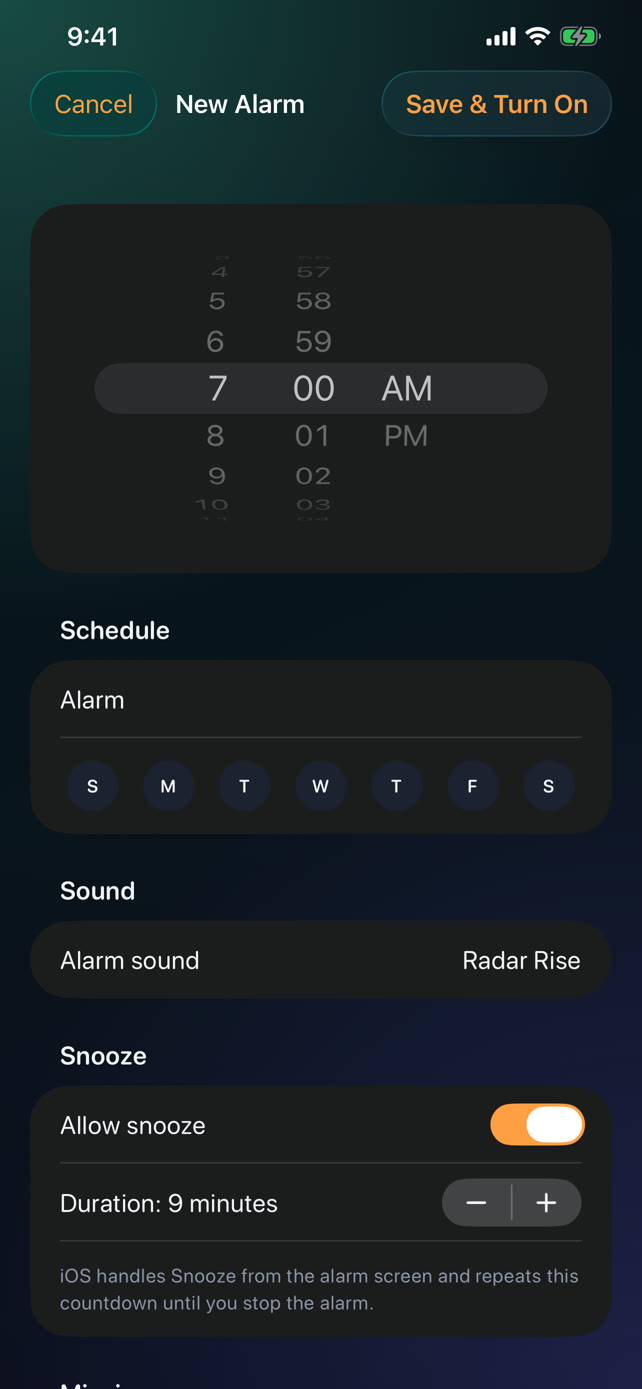
Choose a one-time or weekly schedule, sound, snooze policy, and mission. Tap Save and the alarm turns on.
Made for mornings on iPhone · No account required
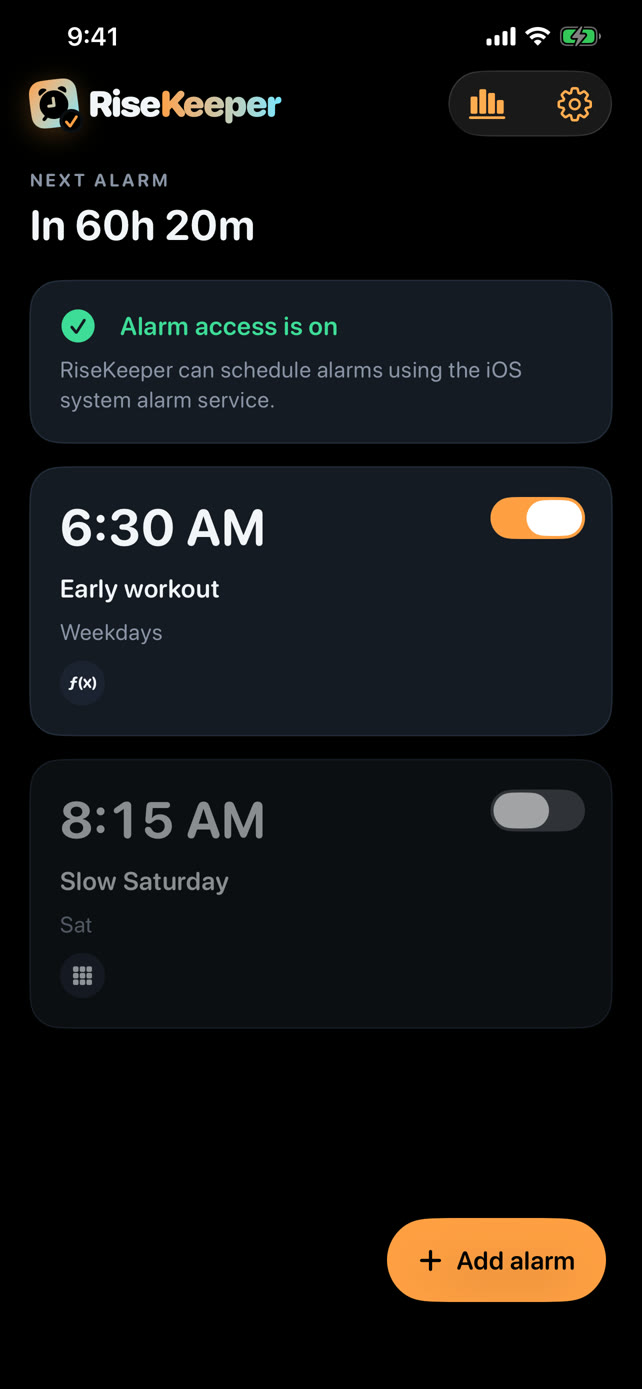
RiseKeeper pairs dependable system alarms with wake-up missions, protected snoozes, and a record of the mornings you followed through.
Available now on the App Store iPhone · iOS 26 or later
A better wake-up loop
RiseKeeper is built for the hazy minute after it rings — the moment when “five more minutes” usually wins.
Choose a one-time or weekly schedule, sound, snooze policy, and mission. Tap Save and the alarm turns on.
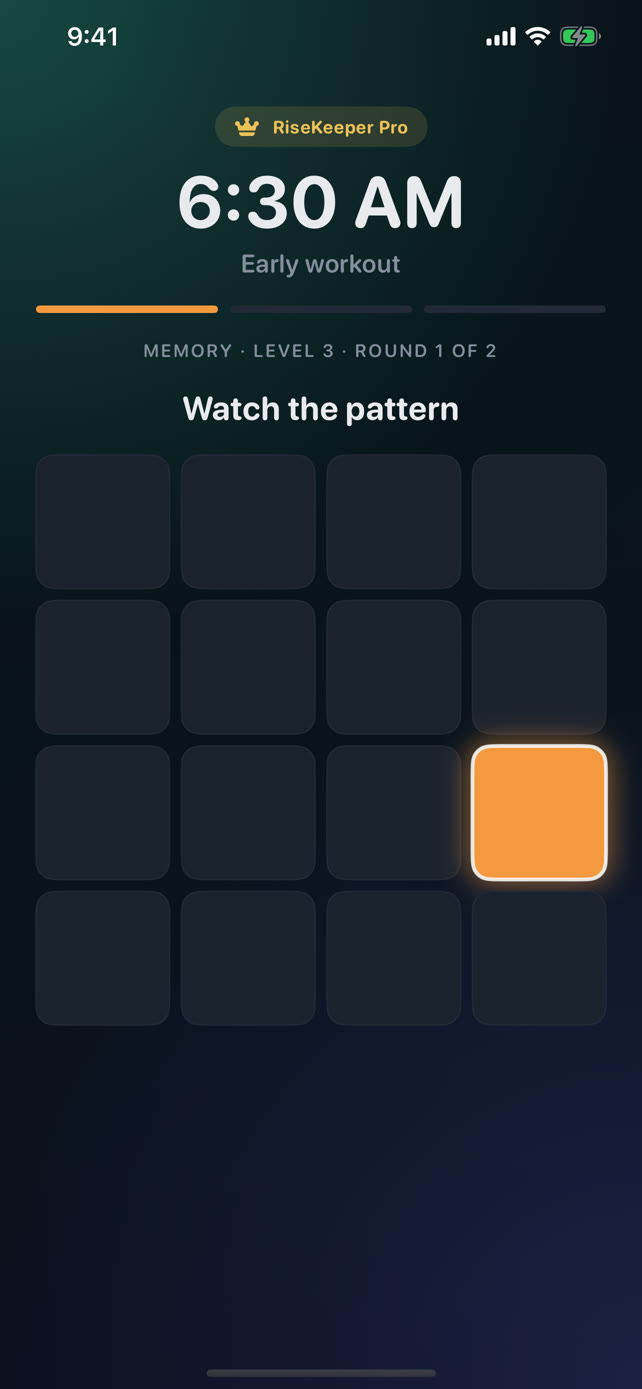
Complete a Math, Number Order, Typing, Memory, or Odd One Out challenge before the alarm stays quiet.
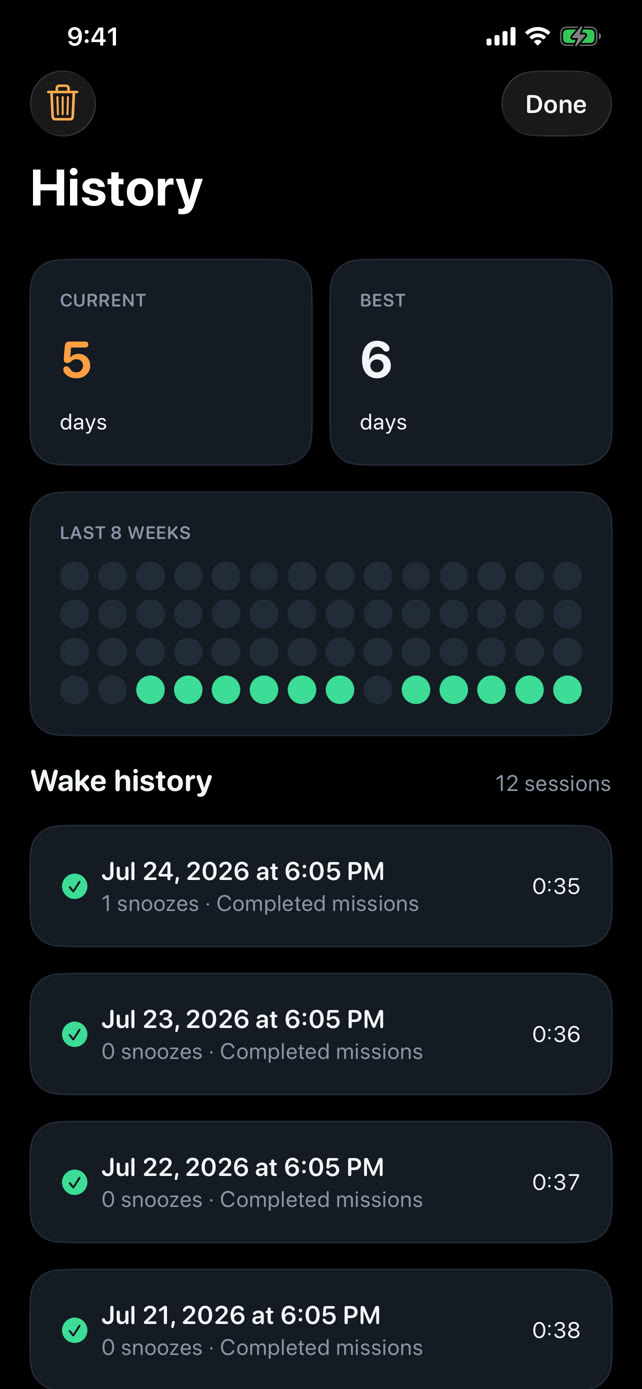
Review wake history, snoozes, and streaks stored privately on your iPhone — ready for tomorrow morning.
Alarm-first engineering
RiseKeeper schedules a system alarm on iPhone. The alarm can ring while the app is closed, while RiseKeeper handles the mission, snooze protection, and the path back to awake.
Wake-up missions
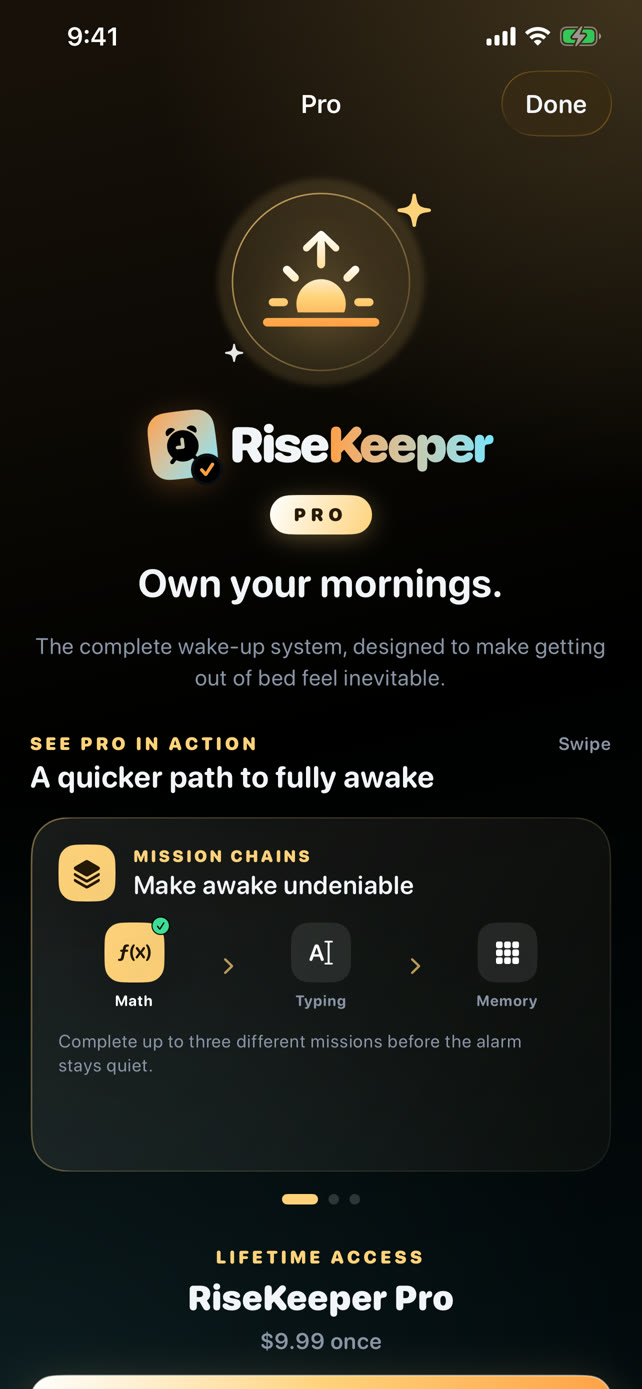
Pick the kind of friction that works for your brain, tune the difficulty and repetitions, or chain up to three different missions with Pro.
Try before you buy. Every premium mission can be played in preview mode before unlocking Pro.
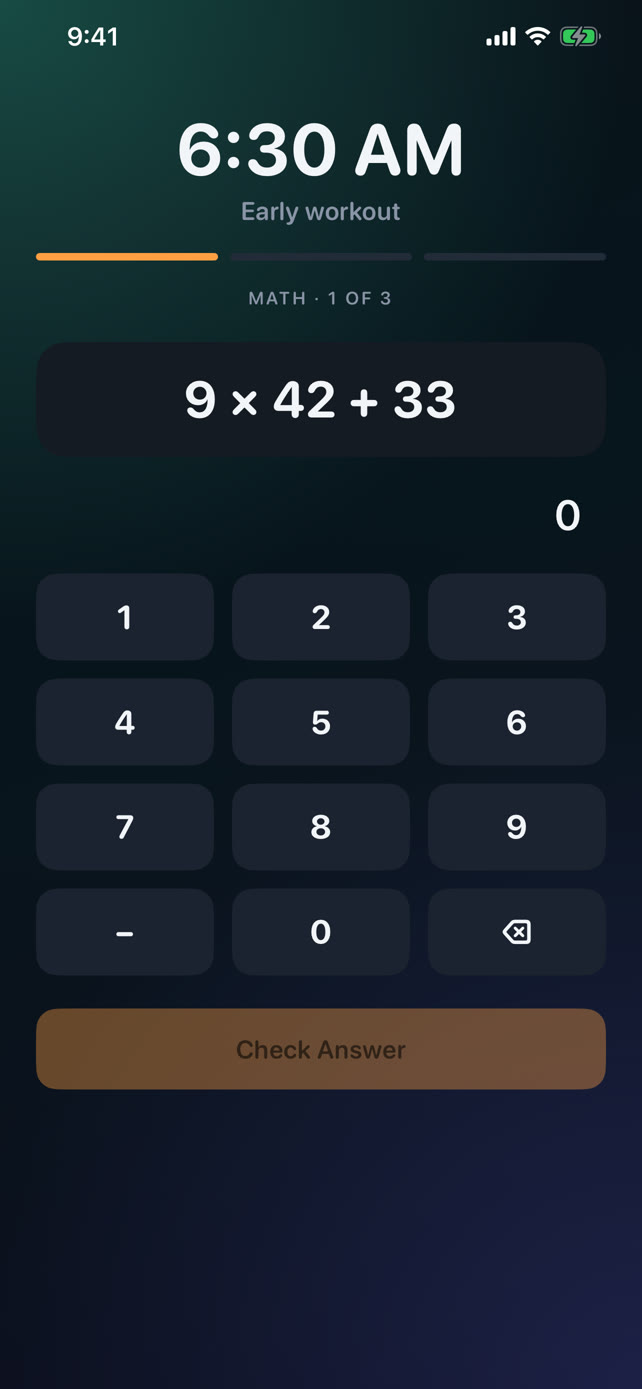
Arithmetic
Sequencing
Transcription
Pattern recall
Discrimination
Layered protection
The system always provides its own Stop control. RiseKeeper is transparent about that — and adds multiple layers after the tap.
Layer 01
Detects a bypass and can schedule a short re-alert, while each mission input keeps the protection countdown fresh.
Layer 02
Pro can check back a few minutes later and ask for another mission, helping prove you actually stayed up.
Layer 03
A snoozed mission alarm cannot be switched off inside RiseKeeper before the mission is completed.
Layer 04
Related recovery alarms pause while a mission is active, so the same wake session does not ring over itself.
See the whole flow
Two 22-second captures of the current RiseKeeper build. Press play — nothing is mocked up.
Alarm creation, included missions, wake history, and the core protection flow.
Premium missions, mission chains, custom audio, Wake-Up Check, and more.
RiseKeeper Pro
Unlock the complete wake-up system in one purchase, with no recurring subscription.
Lifetime access One purchase · No subscription · Apple shows your local price
Free Included
Pro Everything above, plus
Private by default
Alarm settings, wake history, streaks, and custom audio stay on your iPhone. RiseKeeper works without an account or backend.
Support
Include your iPhone model, iOS version, and a short description. Never send passwords or verification codes.
Email supportrisekeeper.help@outlook.com
No. RiseKeeper schedules a system alarm, so the app does not need to remain open. Your iPhone still needs power, alarm permission, and compatible system settings.
Yes. Compatible custom audio is converted and stored locally where the scheduled system alarm can use it. Recording inside RiseKeeper and Music Library selection require Pro; importing compatible Files or Voice Memos audio is free.
The system always provides a Stop control. RiseKeeper does not claim otherwise. Strict Mode can detect a bypass and re-alert, while protected snooze and Wake-Up Check add more follow-through.
Yes. Typing, Memory, and Odd One Out can all be played in preview mode before you unlock Pro.
No. RiseKeeper Pro is a one-time, non-consumable purchase for lifetime access. Restore Purchases is available in Settings → RiseKeeper Pro.
Open Settings on iPhone and make sure alarm access is enabled for RiseKeeper. Then open RiseKeeper once so it can reconcile saved alarms with the system. If the issue continues, contact support.
Rise. Prove it. Keep going.
RiseKeeper is available now on the App Store for iPhone with free core alarms and an optional lifetime Pro unlock.